
Classroom Spy Pro Review: Complete Classroom Management Software for Teachers
Introduction to Classroom Spy Pro
Classroom Spy Pro stands as one of the most powerful classroom management software solutions available for educators today. Developed by EduIQ.com, this comprehensive tool allows teachers to monitor and manage student computers effectively, ensuring a focused and productive learning environment . Whether in a traditional computer lab or a modern remote classroom management setup, Classroom Spy Pro provides the visibility and control educators need to keep students on task .
With the ability to monitor student computers in real-time, teachers can instantly identify who needs assistance and who might be distracted by non-educational content. This student computer monitoring software has become an essential asset for modern educators seeking to enhance engagement and improve learning outcomes .
Key Features of Classroom Spy Pro
Real-Time Screen Monitoring
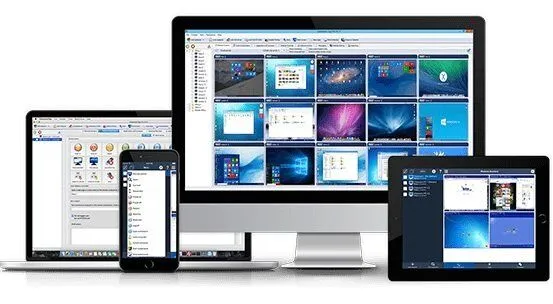
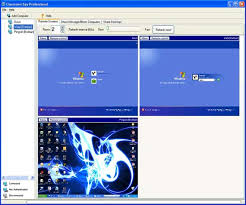
The core functionality of Classroom Spy Pro lies in its ability to provide live computer screen monitoring of all student workstations simultaneously. Teachers can view thumbnail images of every student screen from their own computer, making it easy to spot who is on task and who needs redirection .
Multiple Viewing Options
- Thumbnail view: See all student screens at once in a grid layout
- Full-screen view: Zoom in on any individual student’s activity
- Slideshow mode: Automatically cycle through student screens
Remote Control Capabilities
When students need assistance, remote computer control for teachers becomes invaluable. Educators can take control of student computer systems to demonstrate concepts, troubleshoot issues, or guide students through difficult tasks . This feature works seamlessly, allowing teachers to:
- Control mouse and keyboard remotely
- Guide students step-by-step through software applications
- Demonstrate proper techniques without leaving their desk
- Assist multiple students efficiently
Internet and Application Control
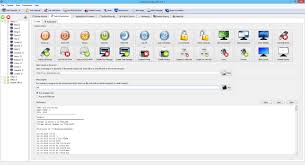
To minimize distractions, Classroom Spy Pro enables teachers to block websites during class and restrict unauthorized applications. This internet usage restriction functionality ensures students remain focused on educational materials rather than social media or games .
Website and Application Blocking Features
- Create whitelists of approved educational sites
- Block specific categories of websites
- Prevent unauthorized software from running
- Schedule internet access during specific times
Screen Recording and Playback
Educators can record student screens to MP4 files for later review or documentation. This classroom activity recording capability proves valuable for:
- Assessing student progress over time
- Documenting behavior issues
- Creating tutorial content from student exemplars
- Providing evidence for parent-teacher conferences
Communication Tools
Classroom Spy Pro includes robust teacher-student chat functionality, allowing private or group messaging without disrupting the entire class. Teachers can send message to students individually or broadcast announcements to everyone .
Classroom Management Benefits
Enhanced Student Focus
By implementing classroom discipline software, teachers report significant improvements in student attention and task completion. Knowing their screens may be viewed encourages students to stay on task and avoid distractions .
Efficient Lab Management
For computer lab monitoring software, Classroom Spy Pro excels with features specifically designed for multi-computer environments. Teachers can:
- Lock student computers remotely during transitions
- Broadcast their screen to all students for demonstrations
- Restart student PCs remotely for updates or troubleshooting
Time-Saving Administrative Tools
The software includes powerful remote system commands that save valuable class time:
- Remote computer shutdown at the end of class
- Power off all lab computers with one click
- Blank screens to regain student attention
- Wake-on-LAN capabilities for starting the day
Installation and Setup
Simple Agent Deployment
Classroom Spy Pro installation guide resources make setup straightforward. The software uses a teacher console and student agent model, with options for remote agent installation across the network .
Installation Options
- Manual installation on each student computer
- Silent network deployment for IT administrators
- USB-based installation for labs without internet
- Cloud connection for remote monitoring scenarios
Configuration Flexibility
Teachers can configure Classroom Spy Pro to match their specific teaching style and classroom needs:
- Add remote computers to console manually or via network scan
- Organize students into class periods or groups
- Set up multi-profile access control for shared computers
- Configure password protected monitoring for security
Network and Technical Requirements
Connection Types
Classroom Spy Pro supports multiple connection methods to accommodate various network configurations :
| Connection Type | Best For |
|---|---|
| Direct TCP/IP | Local classroom networks |
| Reverse connection | Remote students or VPN environments |
| Cloud connection | Hybrid or distance learning |
Platform Support
The software provides comprehensive platform compatibility:
- Classroom Spy Pro Windows 11 and Windows 10 support
- Classroom Spy iOS app for mobile monitoring
- Mac versions available for mixed environments
- Android console access for teacher mobility
Security and Privacy Considerations
Encrypted Communications
All monitoring traffic uses encrypted agent settings to protect student privacy and prevent unauthorized access. The software employs industry-standard encryption for all data transmission .
Access Controls
Classroom Spy Pro implements robust security measures:
- Authorized user authentication for console access
- Password-protected agent configuration
- Secure console access with multiple user profiles
- Audit logs of all teacher monitoring activities
Responsible Use Guidelines
While powerful, educators should use Classroom Spy Pro transparently and ethically. Best practices include:
- Informing students about monitoring policies
- Using monitoring for instructional support, not surveillance
- Balancing oversight with student autonomy
Pricing and Licensing
Flexible Licensing Options
Classroom Spy Pro offers various licensing models to suit different institutional needs:
- Per-computer licenses for small classrooms
- Site licenses for entire schools
- Volume discounts for districts
- Free trial of Classroom Spy Professional available for evaluation
Cost Considerations
Compared to alternatives like Classroom Spy Pro vs NetSupport School, Classroom Spy Pro offers competitive pricing with similar feature sets. Educational institutions should evaluate:
- Number of computers requiring monitoring
- Need for remote access capabilities
- Required feature set vs. budget constraints
- Long-term licensing costs
Comparison with Alternatives
Classroom Spy Pro vs NetSupport School
Both products offer comprehensive classroom management, but the soft distinguishes itself through:
- Simpler, more intuitive interface
- Lower resource usage on student machines
- More affordable pricing for smaller deployments
- Faster remote control response times
Classroom Spy Pro vs LanSchool
When comparing Classroom Spy Pro vs LanSchool, educators find:
- Comparable monitoring features
- Similar remote control capabilities
- Both offer internet filtering
- Pricing varies by deployment size
Who Should Use Classroom Spy Pro?
K-12 Teachers
Software for teachers to monitor students in K-12 environments benefits from Classroom Spy Pro’s intuitive design and comprehensive feature set. Elementary and secondary teachers can maintain focus during computer-based activities .
Computer Lab Instructors
For dedicated computer lab administration, the software provides essential tools for managing large groups of students simultaneously. Lab monitors can quickly identify who needs help and who is off-task .
Corporate Trainers
Beyond education, corporate training room software applications include monitoring trainee progress during software certification courses and ensuring attention during mandatory compliance training .
IT Administrators
School IT management software capabilities allow technology coordinators to deploy, configure, and maintain Classroom Spy Pro across entire school districts efficiently.
Step-by-Step Quick Start Guide
Installing the Teacher Console
- Download Classroom Spy Pro from the official website
- Run the installer and select “Teacher Console” installation type
- Follow the setup wizard to complete installation
- Configure your classroom settings and preferences
Deploying Student Agents
- Run the same installer on student computers
- Select “Student Agent” installation type
- Configure connection settings to point to teacher console
- Test connections to verify monitoring works
Starting Your First Monitoring Session
- Launch Classroom Spy Pro teacher console
- Allow the software to scan network for agents
- Verify all student computers appear in the console
- Begin monitoring with thumbnail view
- Practice using remote control and messaging features
Conclusion
Classroom Spy Pro delivers comprehensive classroom management capabilities that empower educators to maintain focused, productive learning environments. Its combination of real-time monitoring, remote control, internet filtering, and communication tools makes it an invaluable asset for modern teaching .
For teachers seeking reliable student screen monitoring software that balances powerful features with ease of use, Classroom Spy Pro represents an excellent choice. The available free trial allows educators to test the software in their specific environment before committing to purchase .
Whether managing a small computer lab or a large school deployment, the soft provides the tools needed to keep students engaged, focused, and learning effectively.
Frequently Asked Questions
Is Soft compatible with Windows 11? Yes, Classroom Spy Pro Windows 11 support is fully implemented in current versions .
Can I monitor students from my iPad? Yes, the Classroom Spy iOS app allows monitoring from tablets and smartphones .
How much does soft cost? Pricing varies by license type, with options for individual classrooms, site licenses, and volume discounts for larger deployments .
Is there a free trial available? Yes, EduIQ.com offers a free trial of Classroom Spy Professional for evaluation purposes .
Leave a Reply