 Skip to content

Valentina Studio: Redefining How You Manage Databases
In the world of databases, efficiency and clarity are everything. Valentina Studio emerges as a modern solution for developers, analysts, and IT professionals who want to manage their databases with speed and precision. Gone are the days of juggling multiple tools — this software centralizes database management into a single, intuitive platform.
Whether you are designing tables, running complex queries, or generating reports, Valentina Studio simplifies every step of your workflow.
What Makes Valentina Studio Unique?
Unlike traditional SQL editors or generic database tools, Valentina Studio blends simplicity with advanced functionality. Its design focuses on giving users control over their databases without overwhelming them with unnecessary features.
Here’s why professionals prefer Valentina Studio:
- Cross-Platform Compatibility: Works seamlessly on Windows, macOS, and Linux.
- Visual Database Exploration: Navigate tables, relationships, and indexes through a clear visual interface.
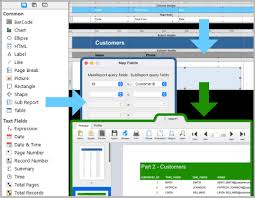
- Dynamic Reporting: Create detailed reports and charts directly within the platform.
- Multi-Database Support: Manage Valentina DB, MySQL, PostgreSQL, and SQLite from one dashboard.
This combination of versatility and usability makes a standout in the crowded database management space.
How Valentina Studio Works
Getting started with Valentina Studio is simple, yet it offers depth for complex tasks.
Step 1: Connect to Your Database
Open the software and link it to your preferred database type — from Valentina DB to MySQL or PostgreSQL. The connection process is straightforward, guiding you through authentication and configuration.
Step 2: Explore and Modify Data
Once connected, you can visually explore tables, columns, and relationships. The soft allows you to edit data directly, run queries, and even manipulate schema structures without switching tools.
Step 3: Generate Reports and Charts
The built-in reporting engine converts raw data into readable, visually appealing reports. Create charts, graphs, and dashboards to better understand your database performance.
Step 4: Export or Share Your Work
After making changes or generating reports, export your data in multiple formats such as CSV, Excel, or PDF, making collaboration effortless.
Key Features That Set Valentina Studio Apart
1. Visual Database Management
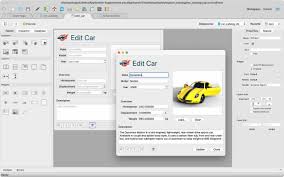
Instead of writing every SQL command manually, the soft provides a drag-and-drop interface to explore and manage your database visually. This saves time and reduces errors, especially when handling large datasets.
2. Advanced SQL Editor
For those who prefer coding, the SQL editor offers syntax highlighting, auto-completion, and query validation. Developers can write complex queries with confidence and speed.
3. Reporting Tools Built In
Transform your data into actionable insights without leaving the platform. Generate charts, PDFs, or interactive dashboards that communicate your results clearly.
4. Multi-Database Handling
Valentina Studio lets you switch seamlessly between Valentina DB, MySQL, PostgreSQL, and SQLite. No need to juggle separate applications for each database type.
5. Data Import and Export
Effortlessly move data between databases or integrate external data sources. Support for CSV, Excel, and XML ensures flexibility in workflow management.
Who Benefits from Valentina Studio?
- Developers: Streamline database coding, testing, and maintenance.
- Data Analysts: Quickly visualize trends and insights using reports and charts.
- IT Teams: Manage multiple databases from a single interface, reducing complexity.
- Business Users: Access accurate data and reports without needing deep SQL knowledge.
With Valentina Studio, everyone from beginners to experts can work more efficiently and make better decisions.
Why Valentina Studio Should Be Your Go-To Tool
When comparing database management tools, Valentina Studio stands out for its unique blend of visual design, advanced SQL functionality, and reporting capabilities. Unlike tools that focus only on queries or editing, this software provides a complete database solution, helping users save time, avoid errors, and gain clearer insights.
It’s ideal for professionals who need a reliable, flexible, and efficient way to manage multiple databases simultaneously.
Final Thoughts
If managing databases feels complicated or scattered across different tools, Valentina Studio offers a cohesive and intelligent solution. Its combination of visual management, multi-database support, and reporting tools ensures that you spend less time struggling with software and more time leveraging your data effectively.
Experience the power of Valentina Studio today and take your database management to the next level.

Leave a Reply