
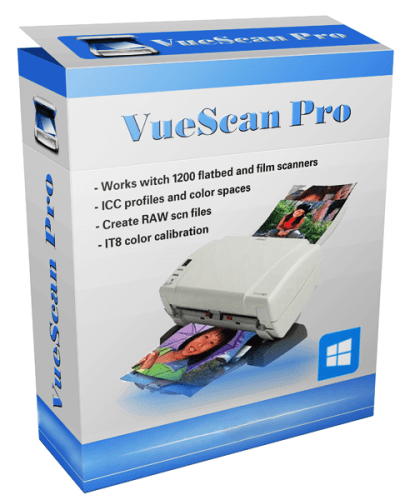
VueScan Pro: Best Scanner Software for Professionals
In today’s digital world, having reliable scanning software is essential for photographers, businesses, and creative professionals. VueScan Pro is a powerful tool that makes scanning documents, photos, and film faster, more accurate, and highly efficient. With support for thousands of scanners and cross-platform functionality, it ensures your scans are consistently high-quality, whether you’re restoring old photos, digitizing paperwork, or working with negatives and slides.
By using this software, users gain access to professional features that enhance image clarity, streamline workflows, and save valuable time.
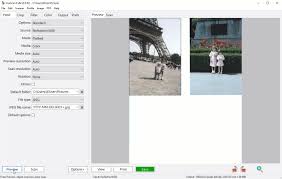
Why Use VueScan Pro for Your Scanning Needs
A scanner alone isn’t enough for professional results — the right software makes all the difference. With VueScan Pro, you get:
- High-resolution scanning to capture every detail with precision.
- Multi-platform support for Windows, macOS, and Linux.
- Compatibility with over 6,000 scanners, including older models.
- Multiple file formats like JPEG, TIFF, PDF, and RAW.
- Batch scanning to process multiple pages or images efficiently.
These features make VueScan Pro ideal for professionals who need accuracy and reliability in every scan.
Key Features of the Software
Advanced Film and Photo Scanning
VueScan Pro excels in scanning slides, negatives, and film. Automatic color correction, dust removal, and scratch reduction ensure your images look professional. Photographers and archivists can preserve original colors while restoring old photos with ease.
OCR for Documents
With built-in OCR (Optical Character Recognition), scanned documents can be converted into editable, searchable text. This is perfect for offices or businesses looking to digitize paperwork quickly while maintaining organized records.
Multi-Platform and Legacy Scanner Support
The software works on modern and older scanners across Windows, macOS, and Linux. This flexibility allows users to continue using legacy devices without worrying about compatibility or additional hardware costs.
Batch Scanning and Automation
VueScan Pro allows you to scan multiple pages or images automatically. You can rename files, organize folders, and customize settings for each scan type. This functionality is perfect for studios, offices, and any professional workflow that requires efficiency.
Professional Image Correction Tools
Advanced tools for exposure adjustment, color balance, and detail enhancement help ensure that your scans are precise and visually appealing. These features are particularly valuable for photographers and designers.
Benefits of Using VueScan Pro
Using this software brings several advantages:
- Boosts productivity with batch scanning and automation.
- Delivers high-quality results with dust removal, color correction, and RAW support.
- Supports efficient document management, making files searchable and organized.
- Cross-device flexibility ensures one solution works across multiple scanners.
- Cost-effective, extending the life of older scanners.
From digitizing personal photos to managing office documents, VueScan Pro simplifies the scanning process and guarantees professional results.
How VueScan Pro Improves Workflow
Efficiency is crucial in professional environments. The intuitive interface and automated tools reduce repetitive tasks, letting users focus on creative or business priorities. Studios and offices benefit from consistent and reliable document digitization, improving both speed and accuracy.
FAQ
Q1: What is VueScan Pro?
VueScan Pro is professional scanner software designed for high-quality image scanning, document OCR, and batch processing.
Q2: Can VueScan Pro work with any scanner?
Yes, it supports over 6,000 scanners, including both new and legacy models.
Q3: Which file formats does it support?
Scans can be saved as JPEG, TIFF, PDF, or RAW files.
Q4: Is VueScan Pro compatible with Windows, Mac, and Linux?
Yes, it works across all major platforms.
Q5: Does it support batch scanning?
Absolutely. Users can scan multiple images or documents in one session with automatic file organization.
Conclusion
For professionals and enthusiasts, VueScan Pro offers a reliable, high-quality scanning solution across multiple platforms. With advanced features, OCR functionality, batch scanning, and legacy scanner support, it’s a versatile tool for photographers, businesses, and offices.
If you want efficient, accurate, and professional scanning, downloading VueScan Pro is a smart investment to streamline workflows and ensure every scan meets the highest standards.
Leave a Reply