
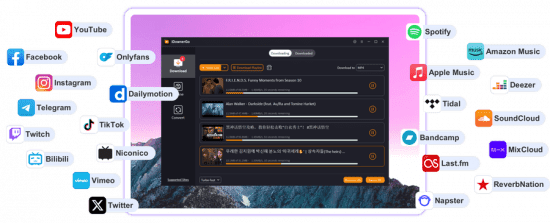
iDownerGo: A Simple Solution for Offline Video Access
The internet is full of useful videos, but access isn’t always guaranteed. Connections drop, content gets removed, and streaming isn’t always convenient — especially when you’re traveling or working with limited bandwidth. This is where tools like iDownerGo become useful.
iDownerGo is built for people who want to download videos or audio from online platforms and keep them available offline. It doesn’t try to overwhelm users with advanced settings or unnecessary features. Instead, it focuses on being practical and easy to use.
What Is iDownerGo?
iDownerGo is a video downloader that allows users to save media directly to their device. It supports downloads from multiple websites and offers different formats and quality options, depending on the source.
Unlike browser-based downloaders, iDownerGo works as a standalone tool. This often means more stable downloads, better quality control, and fewer interruptions during the process.
How People Actually Use iDownerGo
Most people don’t use video downloaders casually — they use them to solve real problems. Students download lessons to study offline. Professionals save tutorials they need for work. Travelers prepare videos before long trips. Others simply want to avoid buffering or ads.
The process with iDownerGo is simple. Users copy a video link, paste it into the software, select a format, and start downloading. There’s no need for technical knowledge, which makes it accessible to a wide audience.
Useful Features Without the Noise
iDownerGo allows users to download videos in different resolutions, including HD, when available. It also supports audio extraction, making it easy to save music, podcasts, or interviews as audio files.
Batch downloading is another helpful feature. Instead of downloading files one by one, users can queue multiple videos or playlists, saving time and effort.
The interface is clean and easy to navigate, which matters more than flashy design. People want tools that work without forcing them to learn new systems.
Safety and Responsible Use
As with any downloader, users should be careful to download iDownerGo from the official source only. Modified or unofficial versions can pose security risks.
It’s also important to consider copyright rules. Downloading content for personal use is different from sharing or selling it. iDownerGo is a tool, and responsibility lies with the user.
Final Thoughts
iDownerGo isn’t about replacing streaming platforms. It’s about giving users control over when and how they access content. For anyone who values offline access, simplicity, and reliability, iDownerGo offers a practical way to manage online media in everyday life.
Comments are closed.